
Was this tool helpful?
Thanks for your feedback!
White Background Maker – Put Any Photo on Pure White
Put any photo on a clean white background. The AI cuts out the person or product, and the new background is added behind it in one step.
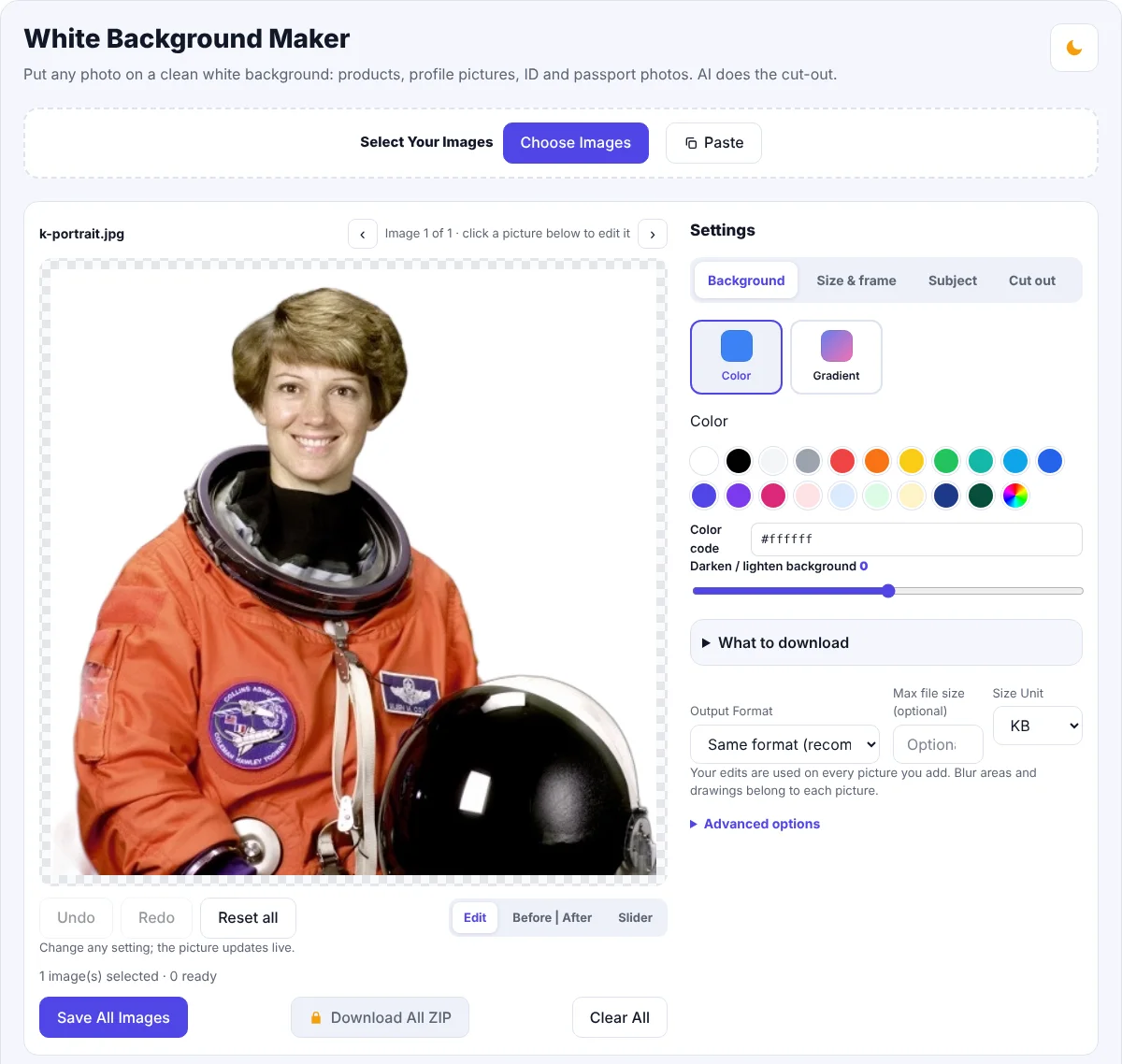
Ideal for Amazon, eBay and Etsy listings, passport and ID photos, CVs and LinkedIn. Your photo stays private because the AI runs in your browser.
How to use the White Background Maker
- Choose your photos, drag them in, or paste with Ctrl + V.
- The AI finds the person or object and removes the background automatically. The first time, the AI model (about 44 MB) downloads once and is saved in your browser, so the next photos are much faster.
- The white background is already on. Use Size & frame to make a square, passport size or any size with padding.
- Download the result, or press “Download All ZIP” for several photos.
Features
- White backgroundOr switch to any colour or gradient.
- Touch up by handErase and Restore brushes fix hair, hands and small spots the AI missed.
- Clean edgesFeather and shrink or grow the edge for a natural cut-out.
- Size and frameFit the result to a square, a story, a passport size or any size, with padding.
- Batch and ZIPProcess many photos and download them all in one ZIP.
- Private AIThe AI runs in your browser. Your photos are never uploaded to a server.
Great for
- Product photos for online shops (Amazon asks for pure white).
- Passport, visa and ID photos that need a plain light background.
- CV, LinkedIn and company profile photos.
Tips for the best cut-out
- Use a photo where the subject stands out clearly from the background.
- Good light helps; dark or blurry photos give rougher edges.
- Zoom in and use the Erase and Restore brushes for hair and fingers.
- Feather 1–2 px gives a soft, natural edge.
Tip
For products, use Product Photo Background: it also centres the item with even padding and a soft shadow.
Frequently asked questions
How do I make a photo background white?
Add the photo; the AI removes the background and fills it with white. Download the JPG.
Is it pure white (#FFFFFF)?
Yes.
Can I use it for passport photos?
Yes, then size it with the Passport Size Photo Maker.
Can I do many photos?
Yes, with a ZIP.
Is it free?
Yes, with no watermark.