
Was this tool helpful?
Thanks for your feedback!
Photo Filters – 20+ One-Click Looks for Your Photos
Apply beautiful photo filters in one click: vivid, warm, cool, vintage, film, black and white and more. Set each filter’s strength, then fine-tune the light and colour.
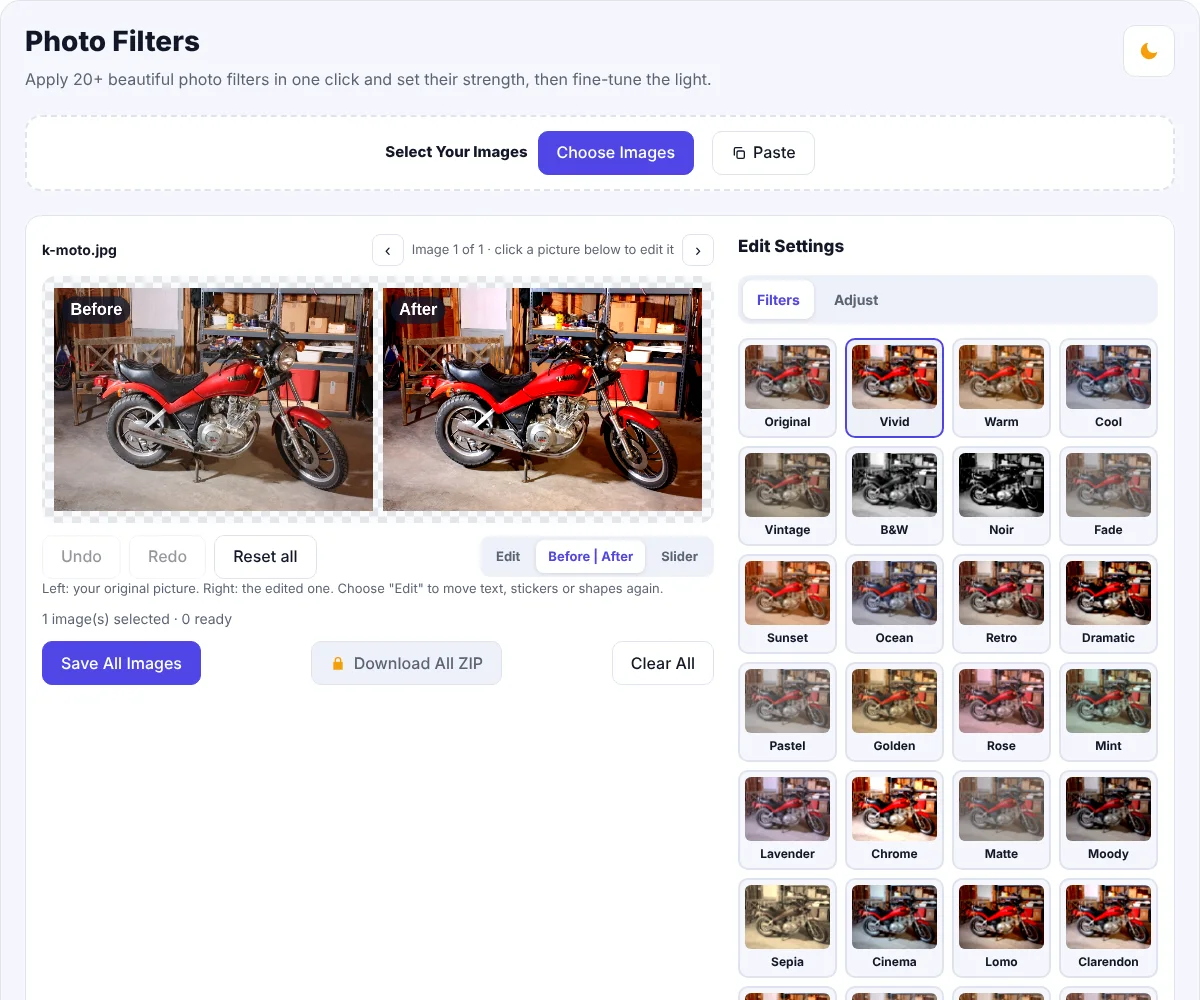
Use the same filter on a whole set of photos so your feed or album has one consistent look.
How to add a filter to a photo
- Choose your photos, drag them in, or paste with Ctrl + V.
- Click a filter to try it, then set its strength. Adjust light and colour if you like.
- Use the Before | After or Slider view to compare with the original.
- Press “Save All Images” and download the picture, or “Download All ZIP” for several.
Features
- 20+ filtersVivid, warm, cool, vintage, film, matte, black and white and more.
- Filter strengthFrom a hint to the full look.
- Fine-tuneBrightness, contrast, saturation and warmth.
- Any formatJPG, PNG, WebP, AVIF, HEIC and more in; same format or JPG, PNG, WebP or AVIF out.
- Live previewThe picture updates as you move each slider.
- Undo and redoTry anything; go back a step at any time, or Reset all.
- Before and afterCompare with a side-by-side view or a slider.
- Many photos at onceThe same edit is used on every photo you add; download them all in one ZIP.
- PrivatePhotos are edited in your browser. Nothing is uploaded to a server.
Choosing a filter
| Photo | Try |
|---|---|
| Food | Vivid or warm |
| Portrait | Soft, warm or black and white |
| Landscape | Vivid or cool |
| Old memories | Vintage or sepia |
Frequently asked questions
How do I add a filter to a photo?
Click a filter, set the strength and save.
Can I use one filter on many photos?
Yes.
Can I adjust the filter?
Yes, strength plus light and colour sliders.
Is there a watermark?
No.
Is it free?
Yes.