
Thanks for your feedback!
Barcode Generator for Code 128, EAN-13, UPC-A and More
Create barcodes online for labels, stock, books and shipping. Choose Code 128, EAN-13, EAN-8, UPC-A, Code 39, ITF-14 or ITF, type your number, and download a clean barcode as PNG, SVG, JPG, WebP or PDF.
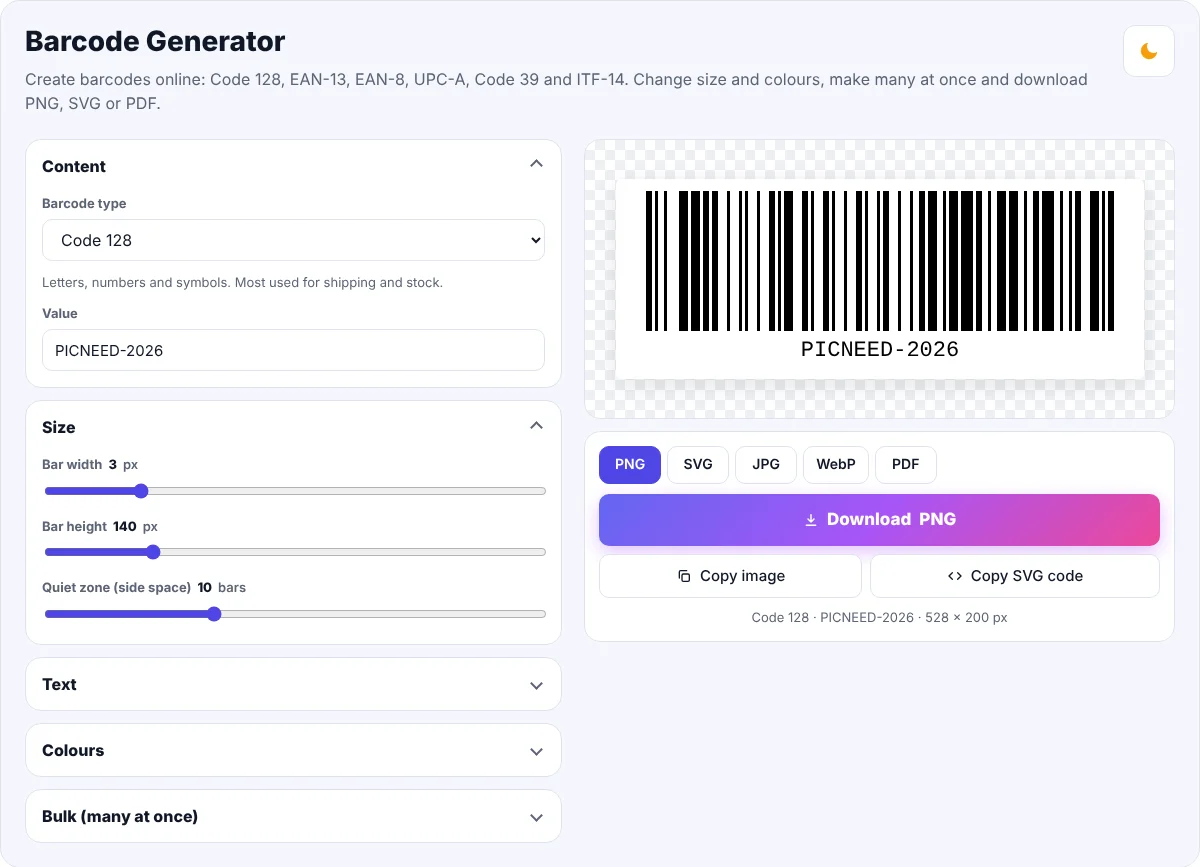
For EAN and UPC the check digit is worked out for you. If you type a full code, the tool checks that the last digit is right, so you do not print a barcode that shops cannot scan.
How to use the Barcode Generator
- Choose the barcode type. Not sure? See the table below.
- Type the value. For EAN-13 you can type 12 digits and the 13th (check digit) is added for you.
- Set the bar width, bar height and side space, and choose whether to show the numbers under the bars.
- Download as SVG or PDF for printing, or PNG for documents and websites. For many barcodes, use Bulk.
Features
- 7 barcode typesCode 128, EAN-13, EAN-8, UPC-A, Code 39 (with optional check character), ITF-14 and ITF.
- Check digits handledEAN and UPC check digits are added automatically or checked if you type them.
- Print-ready sizesControl bar width, bar height and the quiet zone so the barcode suits your label printer.
- ColoursChange the bar and background colours. Dark bars on a light background scan best.
- Vector downloadsSVG and PDF stay sharp at any size, ideal for packaging and label software.
- Bulk barcodesPaste up to 1,000 values, one per line, and download them all in a ZIP.
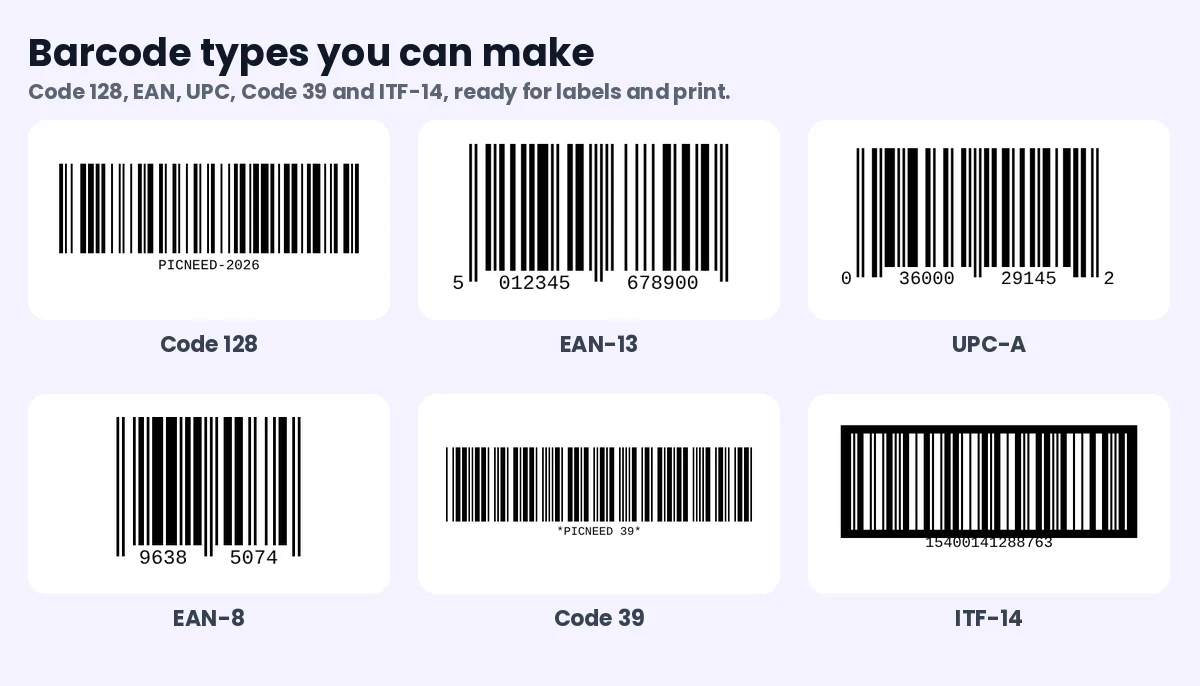
Which barcode type do I need?
| Type | What it holds | Used for |
|---|---|---|
| EAN-13 | 13 digits | Retail products in the UK and Europe, books (ISBN) |
| UPC-A | 12 digits | Retail products in the USA and Canada |
| EAN-8 | 8 digits | Small packets with little space |
| Code 128 | Letters, numbers, symbols | Shipping labels, stock and asset tags, internal use |
| Code 39 | Capital letters, numbers, a few symbols | Older systems, ID badges, industry |
| ITF-14 | 14 digits | Outer boxes and cartons |
Selling in shops? Read this first
A barcode image is easy to make, but the number inside an EAN or UPC barcode must be registered to your business if you sell through retailers or Amazon. In the UK, numbers are issued by GS1 UK. Use made-up numbers only for testing or for your own internal stock system, where Code 128 is usually the better choice.
Tips for barcodes that scan first time
- Keep the quiet zone (the white space on both sides). Scanners need it.
- Do not stretch the barcode sideways in another program. Resize it evenly, or set the bar width here.
- Print at a good resolution. SVG or PDF is safest for label printers.
- Avoid red bars: many laser scanners use red light and cannot see red.
Frequently asked questions
Is the barcode generator free?
Yes. You can create and download barcodes for free with no watermark.
Can I use these barcodes on products I sell?
Yes, the barcode image is yours to use. For shop products you need a registered EAN or UPC number, usually from GS1. Type that number into the tool to make the barcode.
What is a check digit?
It is the last digit of an EAN or UPC code, worked out from the other digits. Scanners use it to spot mistakes. This tool adds it for you.
Which format is best for a label printer?
SVG or PDF, because they are vector files and stay sharp at any size. PNG also works if you download it large.
Can I make barcodes in bulk?
Yes. Paste up to 1,000 values, one per line, and download them all in one ZIP file.
Why does EAN-13 show an error?
EAN-13 needs exactly 12 or 13 digits. If you type 13 digits, the last one must be the correct check digit.