
Thanks for your feedback!
Compress Image to 1 MB Online
Get your photo under 1 MB in one click. The target is already set: add your photo, press compress and download. For big phone and camera photos that are too large for email, chat apps or upload limits.
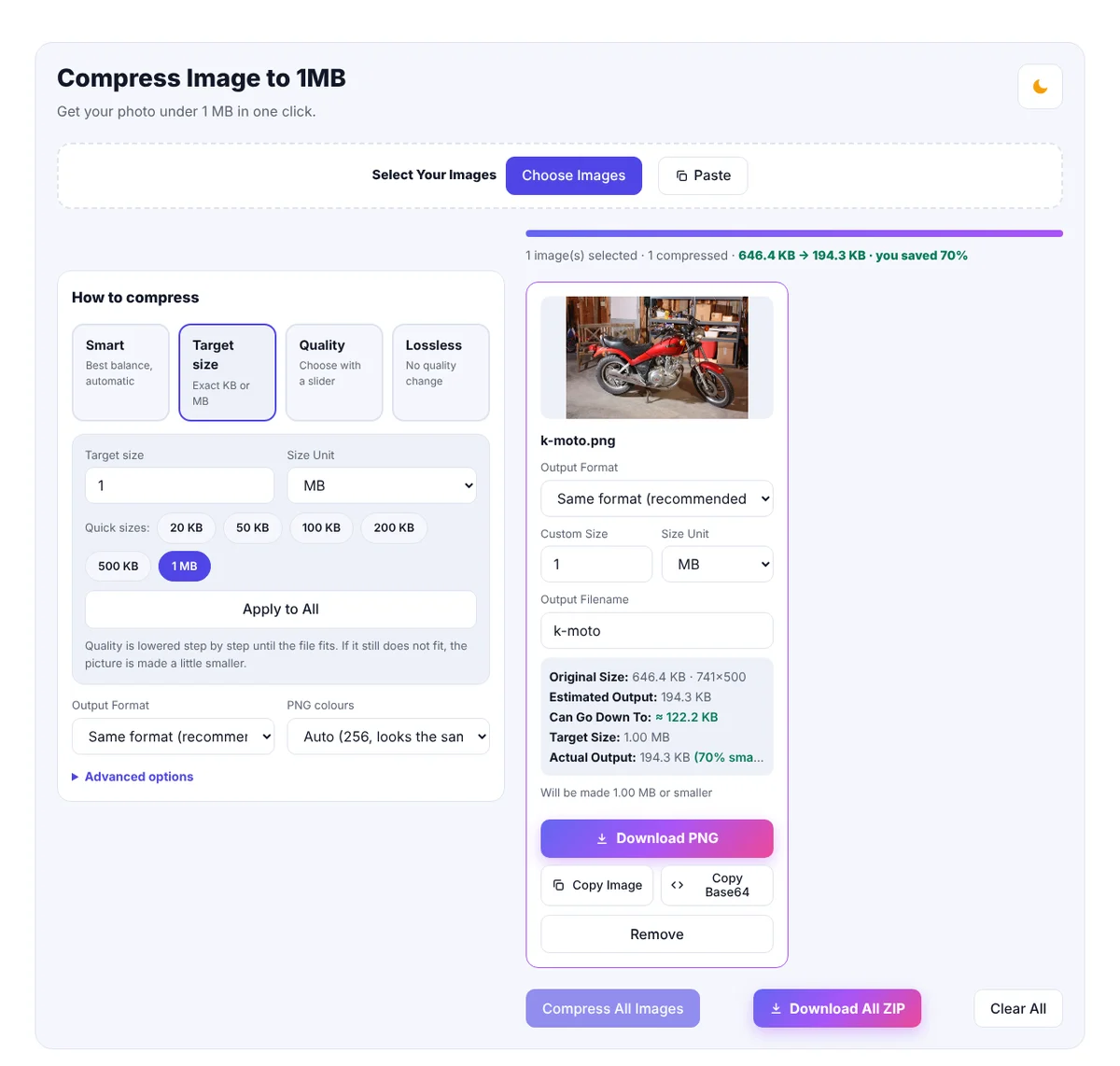
Our 646 KB PNG test photo became 194 KB; large phone photos of 4–8 MB come down under 1 MB. If quality alone is not enough, the picture is made a little smaller so it still fits.
How to compress an image to 1 MB
- Choose your photo, drag them in, paste with Ctrl + V, or add an image link.
- The target is already set to 1 MB. You can change it, or pick another quick size.
- Press “Compress All Images”. Each card shows the original size, the new size and how much you saved.
- Check the result in the preview, then download each file or press “Download All ZIP”.
Features
- Ready-set to 1 MBNo settings needed.
- Always fitsQuality first, then a small resize only if needed.
- Quick sizesSwitch to 20 KB, 50 KB, 100 KB, 200 KB, 500 KB or 1 MB.
- Before and afterCompare the original and compressed image side by side before you download.
- Batch and ZIPCompress many images together and download them all in one ZIP.
- PrivateImages are compressed in your browser. Nothing is uploaded to a server.
Tips for a clear photo at 1 MB
A 12-megapixel phone photo is often 3–5 MB. At 1 MB it keeps its full size and looks the same on screen and in normal prints.
Need a different size?
Try Compress to custom KB for any number, or the Image Size Reducer.
Frequently asked questions
How do I compress a photo to 1 MB?
Add the photo and press Compress All Images. The size is already set; then download.
Will the photo stay clear?
Yes for most photos. If it looks soft, crop it closer or resize it smaller first.
Which formats work?
JPG, PNG, WebP, HEIC and more. The result keeps the same format unless you change it.
Can I compress several photos to 1 MB?
Yes, add them all and download a ZIP.
Is it free and private?
Yes. It is free, and your photo never leaves your device.