
Was this tool helpful?
Thanks for your feedback!
PNG to ICO Converter – Favicons with Every Size in One File
Turn a PNG into an ICO icon file for your website favicon or a Windows program. One ICO file can hold several sizes, and you choose which: 16, 24, 32, 48, 64, 128 and 256 pixels.
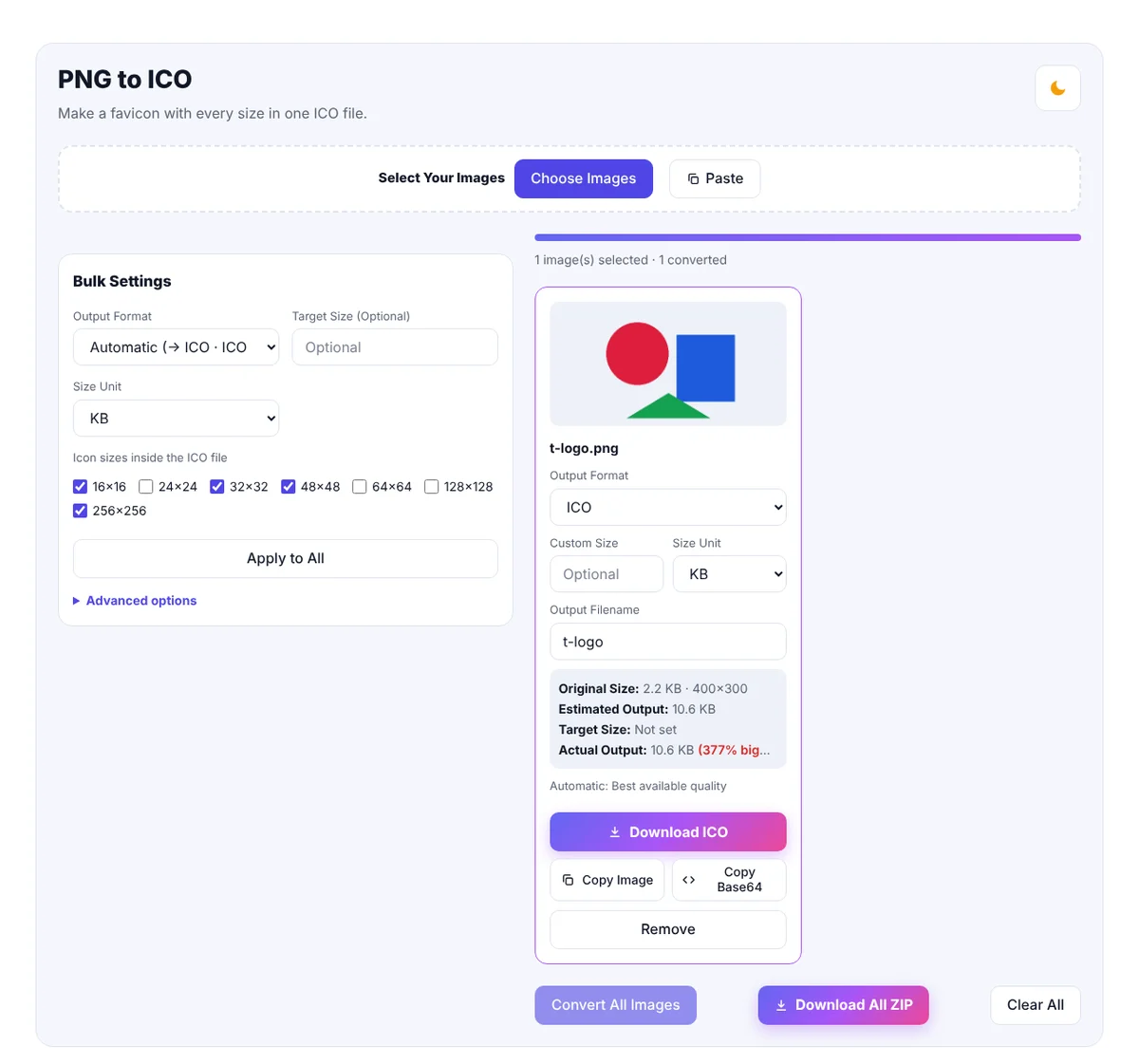
Transparency is kept, so round and shaped logos look right on any browser tab. For a complete favicon pack with Apple and Android icons, see the Favicon Generator.
How to use the PNG to ICO Converter
- Choose your PNG logo (square works best), or paste it with Ctrl + V.
- Tick the icon sizes to include. 16, 32, 48 and 256 px are selected for you.
- Press “Convert All Images”.
- Download favicon.ico, or a ZIP if you converted several icons.
Features
- Multi-size ICOPick any of 16, 24, 32, 48, 64, 128 and 256 px in one file.
- Transparency keptShaped logos stay clean on light and dark tabs.
- Any inputWorks from PNG, JPG, SVG, WebP and more.
- Many files at onceAdd a whole folder of images, convert them together and download one ZIP.
- Private by designThe conversion runs in your browser. Your images are never uploaded to a server.
Which sizes does a favicon need?
| Size | Used for |
|---|---|
| 16 × 16 | Browser tabs |
| 32 × 32 | Tabs on high-resolution screens, Windows taskbar |
| 48 × 48 | Windows desktop shortcuts |
| 256 × 256 | Large Windows icons |
Adding it to your site
Upload favicon.ico to the root of your site, or in WordPress go to Appearance → Customize → Site Identity → Site Icon. For Apple, Android and PWA icons plus ready HTML code, use the Favicon Generator.
Frequently asked questions
What size should my PNG be?
At least 256 × 256 pixels and square for the sharpest results.
Can one ICO hold several sizes?
Yes. Tick the sizes you want and they are all stored in one file.
Is transparency supported?
Yes.
How do I make a favicon from text or an emoji?
Use our Favicon Generator.
Is it free?
Yes, free and private.