
Was this tool helpful?
Thanks for your feedback!
All Image Cropper Tools
Ratio
Shapes
Crop more
No tool matches your search.
Free Image Cropper – Crop Photos Online by Ratio or Pixels
Crop JPG, PNG, WebP, GIF, HEIC and other images in your browser. Drag the box freely, pick a ratio such as 1:1, 4:5, 16:9 or 9:16, or type the exact size in pixels.
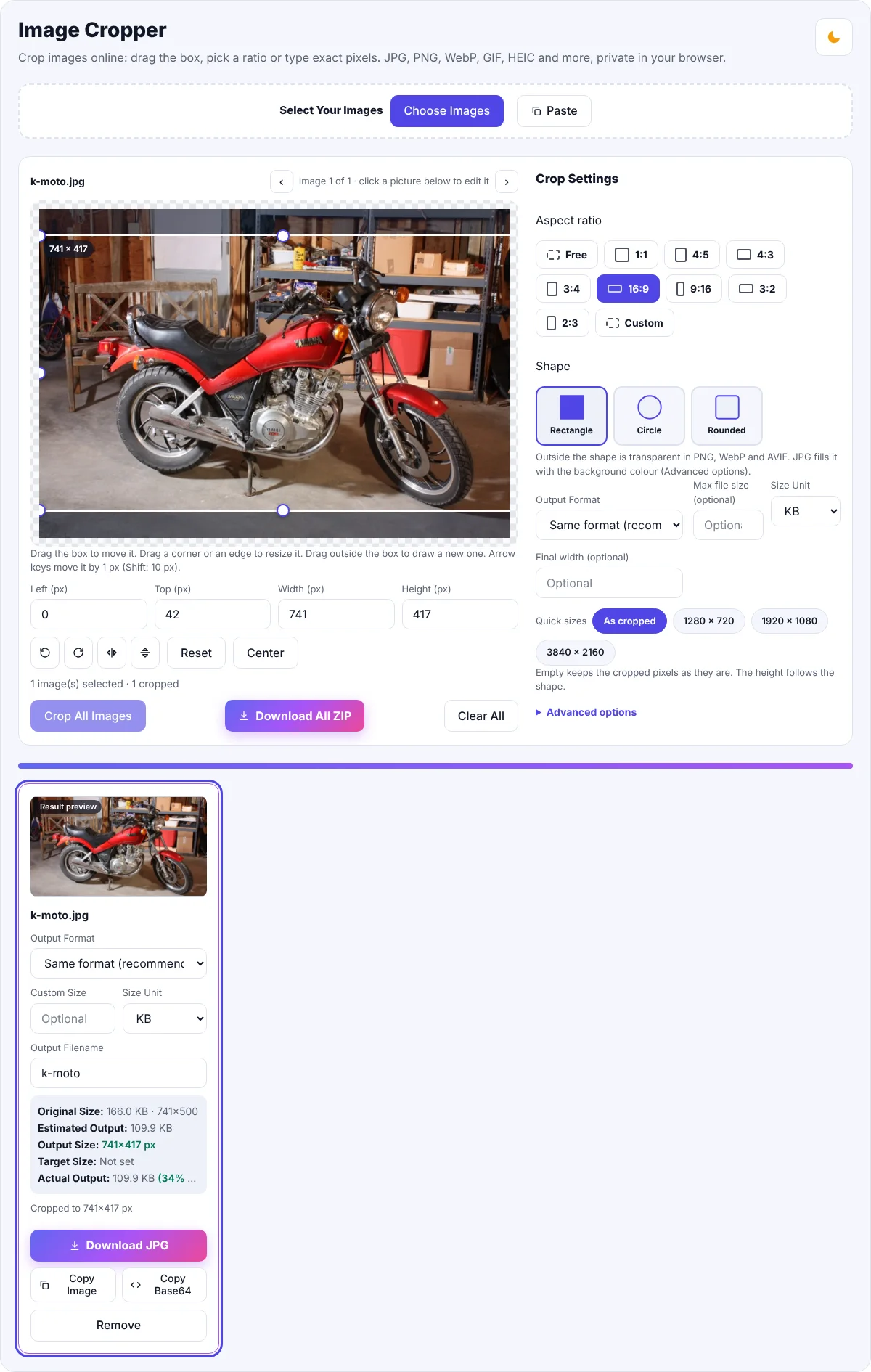
You can also crop into a circle or rounded corners, rotate and flip, and resize the result in the same step. In our test a 741 × 500 photo was cropped to 16:9 at 741 × 417 px.
How to use the Image Cropper
- Choose your images, drag them in, or paste with Ctrl + V.
- Pick a ratio (Free, 1:1, 4:5, 4:3, 16:9, 9:16 and more) or Custom, and a shape if you want a circle or rounded corners.
- Drag the box to move it, or drag a corner or edge to resize it. Drag outside the box to draw a new one.
- Press “Crop All Images”, check the preview, then download it or press “Download All ZIP”.
Features
- Ratios readyFree, 1:1, 4:5, 4:3, 3:4, 16:9, 9:16, 3:2, 2:3 and custom.
- ShapesRectangle, circle or rounded corners with a transparent background.
- Exact pixelsType left, top, width and height, or use arrow keys to move by 1 px.
- Rotate and flipTurn or mirror the picture while cropping.
- Quick output sizesResize the crop to a common size in the same step.
- Choose the formatKeep the same format or save as JPG, PNG, WebP or AVIF, with an optional file size limit.
- Batch and ZIPCrop many images and download them all in one ZIP.
- PrivateImages are cropped in your browser. Nothing is uploaded to a server.
Which ratio should I use?
| Ratio | Use it for |
|---|---|
| 1:1 | Profile pictures, Instagram square, product photos |
| 4:5 | Instagram portrait posts |
| 4:3 | Camera photos, slides, tablets |
| 16:9 | YouTube, videos, laptop wallpapers, banners |
| 9:16 | Stories, Reels, Shorts, TikTok, phone wallpapers |
| 3:2 | Prints (6 × 4 inch), DSLR photos |
Cropping tips
- Use the rule of thirds: place the subject a third of the way in rather than dead centre.
- Leave a little space in front of faces and moving objects.
- Crop first, then resize. Cropping only removes pixels, so quality stays the same.
Frequently asked questions
How do I crop an image to an exact size?
Type the width and height in pixels, or use a quick output size after picking a ratio.
Does cropping reduce quality?
No. It only removes the outer parts; the rest stays the same.
Can I crop a circle?
Yes, choose Circle as the shape. Save as PNG for transparent corners.
Can I crop many images the same way?
Yes, use the Bulk Image Cropper.
Which formats work?
JPG, PNG, WebP, AVIF, GIF, HEIC, BMP and TIFF.
Is it free and private?
Yes, it is free and nothing is uploaded.