
Thanks for your feedback!
PNG to WebP Converter – Smaller Files, Transparency Kept
Convert PNG images to WebP and keep the transparent background. WebP is a modern format for websites that supports transparency like PNG but usually makes much smaller files, especially for screenshots and photos saved as PNG.
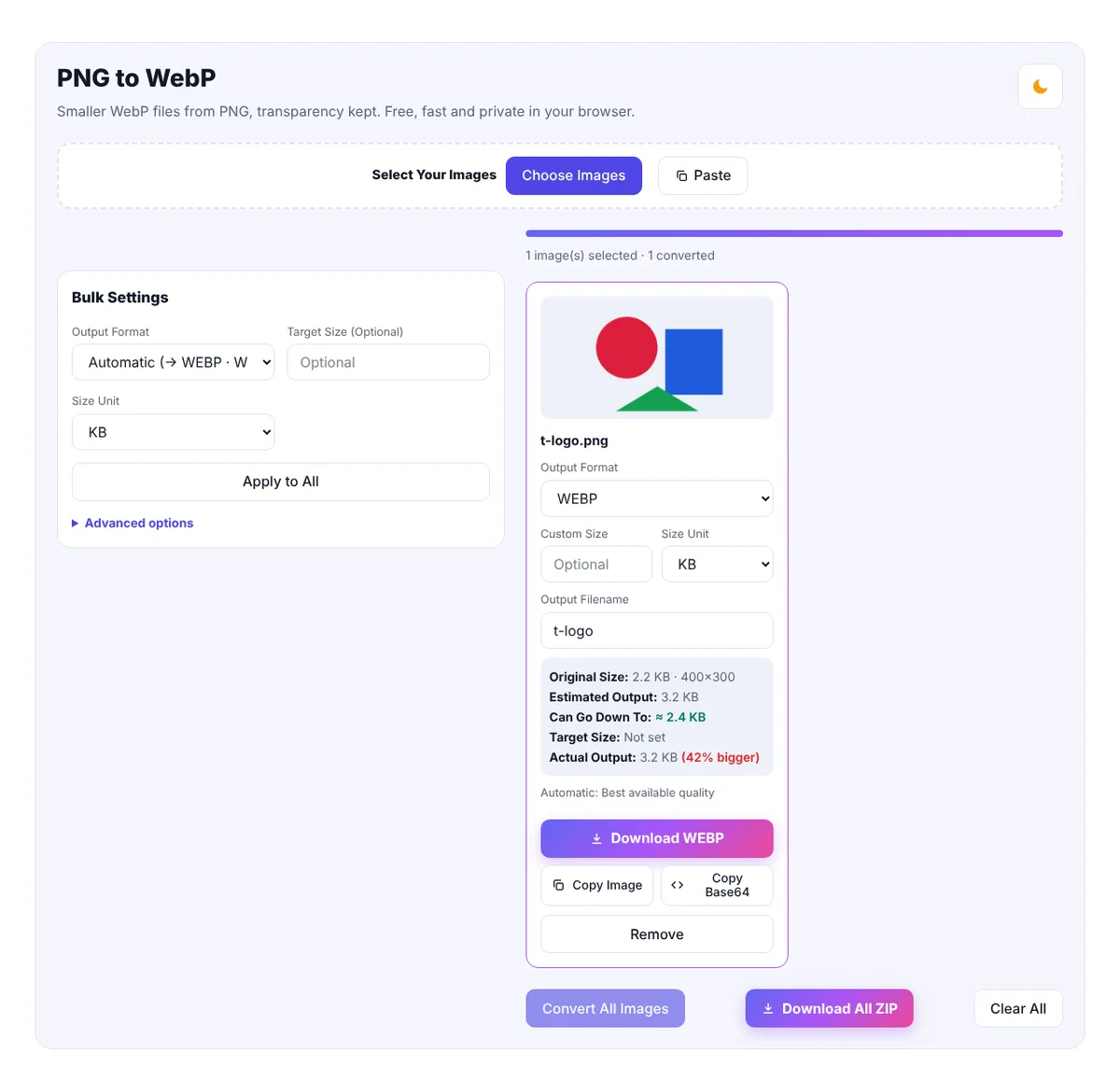
Choose lossless WebP-like quality for crisp graphics or lower quality for very small files, and convert a whole folder in one go.
How to use the PNG to WebP Converter
- Choose your PNG files, drag them in, or paste with Ctrl + V. You can add many at once.
- Transparency stays. Open Advanced options to set the quality, a target size or a new width.
- Press “Convert All Images”. Each card shows the new size and how much smaller or bigger the file became.
- Download each file, or press “Download All ZIP” to get every WebP in one go.
Features
- Transparency keptSee-through PNGs stay see-through as WebP.
- Big savings on photos and screenshotsLarge PNG screenshots often shrink a lot.
- Target file sizeType a size in KB or MB and the file is made that size or smaller, for upload forms with a limit.
- Resize while convertingGive a width, a height or both. Keep the whole picture, fill and crop, fit inside, or stretch.
- Many files at onceAdd a whole folder of images, convert them together and download one ZIP.
- Private by designThe conversion runs in your browser. Your images are never uploaded to a server.
When PNG to WebP helps most
The biggest wins are photos and screenshots that were saved as PNG. Very small, simple graphics (a few flat colours) are already tiny as PNG and can even grow a little, like our 2 KB logo test. For those, keeping PNG or using SVG is fine.
Using WebP on your site
All modern browsers support WebP with transparency. Upload the WebP to WordPress like any image. For the smallest files, also try PNG to AVIF.
Frequently asked questions
Does WebP support transparency?
Yes. Transparent PNGs stay transparent as WebP.
Why did my small logo get bigger?
Tiny flat graphics compress very well as PNG. WebP helps most with large or photo-like images.
Is WebP lossless?
WebP can be lossless or lossy. At high quality settings the difference is not visible.
Can I convert in bulk?
Yes, add many PNGs and download a ZIP.
Is it free?
Yes, free with no watermark.